

Recently, we covered the gifting changes for Steam, but we also received the Steam client wishlist changes along with it. In fact, one of the gifting changes that we covered technically counts as one of the wishlist changes we’ll cover today. But I won’t mention that change here, because there are a few new ones that need the spotlight.
As the name implies, the Steam client wishlist changes affect Steam’s wishlist feature. These changes help you organize your wishlist and allow you to select who you want to see your wishlist. Now let’s take a look at these changes to the wishlist and see what they do to your Steam wishlist.
The Steam Client Wishlist Changes
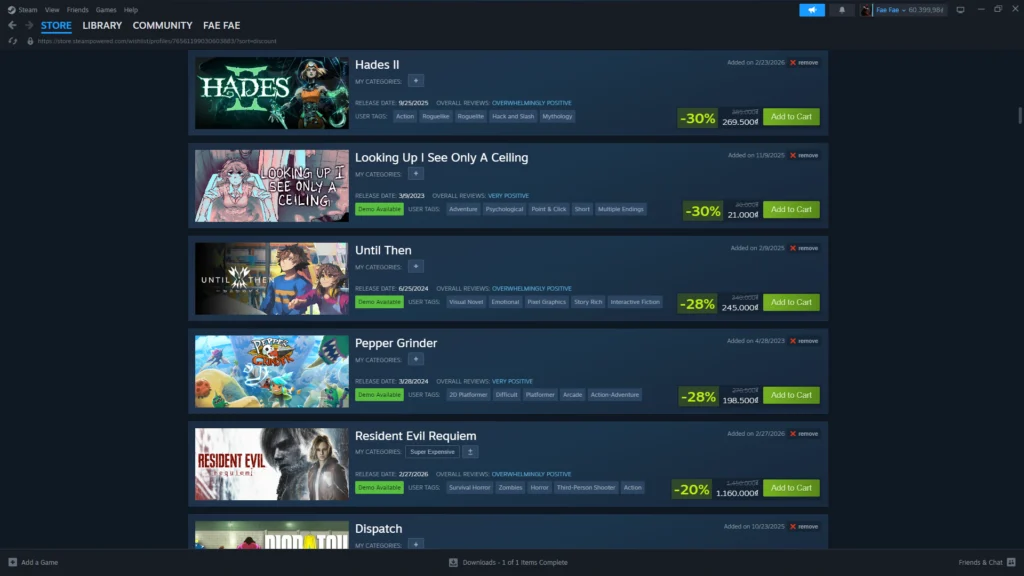
The Steam client wishlist changes improve upon another aspect of the Steam experience, making it even better to use. Don’t worry, it still works as it has for a while now, but now it has many more features you can take advantage of. Now, let’s start with the first change on this list, the new categories feature.
The New Wishlist Categories Feature
Ever wanted to sort your wishlist by game genres or anything that you can think of? Well, thanks to this feature in the Steam client wishlist changes, you can, and it’s completely up to you how you use it. But the categories don’t end there; there are a few more things that you can customize for your wishlist categories.
Once you’ve created your intended categories, you might wonder whether you’ll have to organize your wishlist when you wishlist an item. Thankfully, you can choose where your newly wishlisted game will go when you put it into your wishlist. You can also adjust what notifications you receive from each category.
The General Wishlist Improvements
The Steam client wishlist changes also include a few general improvements that enhance the wishlist. One of these includes an autocomplete function for the search bar on the wishlist page, and although it’s small, it’s still nice to have. Another improvement is that Steam will now highlight games with available demos for you to try.
You may also have your wishlist notify you of a recently released demo as part of the adjustable notifications. Lastly, your wishlist will now play microtrailers when you hover over the capsule image of each game in your wishlist. This gives you a small preview of the game’s trailer, allowing you to view trailers without opening a store page for each game.
The New Wishlist Sharing Feature
While you can already share your wishlist before the Steam client wishlist changes, you can now choose what people see when you share it. Not only that, but you can share your wishlist with anyone you please, even if you have your wishlist set to private. And if needed, you can revoke permission to view your wishlist whenever you please.
But let’s step back a moment and go over how you can share your wishlist even while it’s private. To share your wishlist while it’s private, you hit the share button to generate a unique URL that you can revoke at any time. You can also decide what part of your wishlist people can view, as this applies to every category that you create.
You heard that right: you can generate a link for each category that you create, and that’s all people can see with the link. So, if you send a link for your birthday wishlist category, then all the people with the link can see are the games in that category. With this change, you can keep your private wishlisted games away from your family, thank goodness.
Is That All For The Steam Client Wishlist Changes?
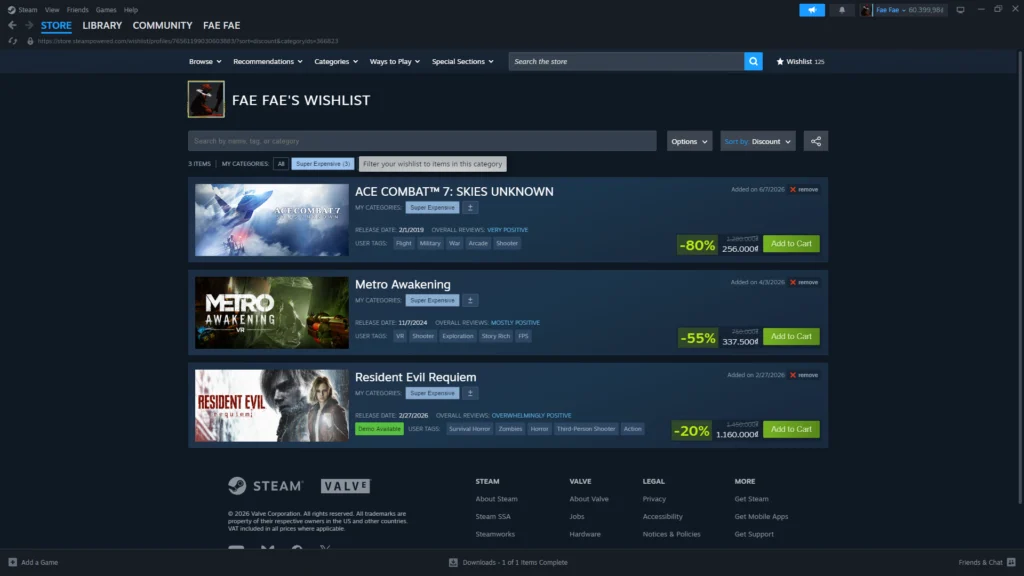
Sadly, that is indeed all for the Steam client wishlist changes, though it’s hard to imagine what else Steam can do to improve the wishlist further. With that said, it’s pretty impressive how Valve is still trying to improve something that already works well. And I won’t be surprised if Valve attempts to improve more Steam features in the future.
Regardless, go and organize your wishlist; it’s time to do a bit of spring cleaning before another Summer Sale hits the store page.
For more information on games and Steam, stay tuned with us.
